TestBox is a next-generation testing framework based on BDD (Behavior Driven Development) and TDD (Test Driven Development), providing a clean, obvious syntax for writing tests.
TestBox BDD v7.x
alt text
TestBox is a next-generation testing framework for the BoxLang JVM language and ColdFusion (CFML) based on BDD (Behavior Driven Development) for providing a clean, obvious syntax for writing tests. It contains not only a testing framework, console/web runner, assertions, and expectations library but also ships with MockBox, A mocking and stubbing companion.
class{

  function run(){
  	describe( "My calculator features", () => {

		beforeEach( () => {
			variables.calc = new Calculator()
		} )

		// Using expectations library
		it( "can add", () => {
			expect( calc.add(1,1) ).toBe( 2 )
		} )

		// Using assert library
		test( "it can multiply", () => {
			assertIsEqual( calc.multiply(2,2), 4 )
		} )
	} )
  }

}
/**
 * My calculator features
 */
class{

	property calc;

	function setup(){
	    calc = new Calculator()
	}

	// Function name includes the word 'test'
	// Using expectations library
	function testAdd(){
	    expect( calc.add(1,1) ).toBe( 2 )
	}

	// Any name, but with a test annotation
	// Using assertions library
	@test
	function itCanMultiply(){
	    $assert.isEqual( calc.multiply(2,2), 4 )
	}
}
Features At A Glance
Here is a simple listing of features TestBox brings to the table:
BDD style or xUnit style testing
Testing life-cycle methods
integration for mocking and stubbing
Versioning
TestBox is maintained under the guidelines as much as possible. Releases will be numbered in the following format:
And constructed with the following guidelines:
bumpBreaking backward compatibility bumps the major (and resets the minor and patch)
New additions without breaking backward compatibility bump the minor (and resets the patch)
Bug fixes and misc changes bump the patch
License
TestBox is open source and licensed under the License. If you use it, please try to mention it in your code or website.
Copyright by Ortus Solutions, Corp
TestBox is a registered trademark by Ortus Solutions, Corp
The ColdBox Websites, Documentation, logo, and content have a separate license, and they are separate entities.
Discussion & Help
Help Group:
BoxTeam Slack :
Reporting a Bug
We all make mistakes from time to time :) So why not let us know about it and help us out? We also love pull requests, so please star us and fork us:
By Jira:
Professional Open Source
TestBox is a professional open source software backed by offering services like:
Custom Development
Professional Support & Mentoring
Training
Resources
Official Site:
Current API Docs:
Help Group:
HONOR GOES TO GOD ABOVE ALL
Because of His grace, this project exists. If you don't like this, don't read it, it's not for you.
Therefore being justified by faith, we have peace with God through our Lord Jesus Christ: By whom also we have access by faith into this grace wherein we stand, and rejoice in hope of the glory of God. - Romans 5:5
Mocking data library for mocking JSON/complex data and relationships
Ability to extend and create custom test runners and reporters
component{

  function run(){
  	describe( "My calculator features", () => {

		beforeEach( () => {
			variables.calc = new Calculator()
		} );

		// Using expectations library
		it( "can add", () => {
			expect( calc.add(1,1) ).toBe( 2 )
		} );

		// Using assert library
		test( "it can multiply", () => {
			$assert.isEqual( calc.multiply(2,2), 4 )
		} );
	} );
  }

}
/**
 * My calculator features
 */
component{

	property calc;

	function setup(){
	    calc = new Calculator()
	}

	// Function name includes the word 'test'
	// Using expectations library
	function testAdd(){
	    expect( calc.add(1,1) ).toBe( 2 )
	}

	// Any name, but with a test annotation
	// Using assertions library
	function itCanMultiply() test{
	    $assert.isEqual( calc.multiply(2,2), 4 )
	}
}
In this section, you will find the release notes for each version we release under this major version. If you are looking for the release notes of previous major versions, use the version switcher at the top left of this documentation book. Here is a breakdown of our major version releases.
Version 7.x - March 2026
In this release, we focused on BoxLang CLI runner enhancements, real-time streaming test execution via SSE, a powerful dry run capability for spec discovery, Lucee 7 certification, and dropping Adobe 2021 support. Developers gain a wealth of new output-control and performance-analysis options directly from the CLI runner.
Version 6.x - September 2024
In this release, we have dropped more legacy engines and added full support for not only running TestBox in , but writing every spec in . We have added tons of bug fixes and major improvements but also a great CLI runner for BoxLang.
Version 5.x - May 2023
In this release, we have dropped legacy engines and added support for the JVM language, Adobe 2023 and Lucee 6. We have also added major updates to spying and expectations. We continue in this series to focus on productivity and fluency in the Testing language in preparation for more ways to test.
Version 4.x - April 2020
In this release, we have dropped support for legacy CFML engines and introduced the ability to mock data and relationships and build JSON documents.
Version 3.x
In this release, we focused on dropping engine supports for legacy CFML engines. We had a major breakthrough in introducing Code Coverage thanks to the folks as well. This major release also came with a new UI for all reporters and streamlined the result viewports.
Version 2.x
This version spawned off with over 8 minor releases. We focused on taking TestBox 1 to yet a high level. Much more attention to detail and introducing modern paradigms like given-when-then. Multiple interception points, async executions, and ability to chain methods.
Version 1.x
This was our first major version of TestBox. We had completely migrated from MXUnit, and it introduced BDD to the ColdFusion (CFML) world.
Author
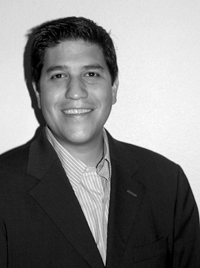
Luis Fernando Majano Lainez
Luis Majano is a Computer Engineer with over 16 years of software development and systems architecture experience. He was born in in the late 70’s, during a period of economical instability and civil war. He lived in El Salvador until 1995 and then moved to Miami, Florida where he completed his Bachelors of Science in Computer Engineering at . Luis resides in The Woodlands, Texas with his beautiful wife Veronica, baby girl Alexia and baby boy Lucas!
He is the CEO of , a consulting firm specializing in web development, ColdFusion (CFML), Java development and all open source professional services under the ColdBox and ContentBox stack. He is the creator of ColdBox, ContentBox, WireBox, MockBox, LogBox and anything “BOX”, and contributes to many open source ColdFusion projects. He is also the Adobe ColdFusion user group manager for the
Luis has a passion for Jesus, tennis, golf, volleyball and anything electronic. Random Author Facts:
He played volleyball in the Salvadorean National Team at the tender age of 17
The Lord of the Rings and The Hobbit is something he reads every 5 years. (Geek!)
His first ever computer was a Texas Instrument TI-86 that his parents gave him in 1986. After some time digesting his very first BASIC book, he had written his own tic-tac-toe game at the age of 9. (Extra geek!)
He has a geek love for circuits, microcontrollers and overall embedded systems.
He has of late (during old age) become a fan of running and bike riding with his family.
Keep Jesus number one in your life and in your heart. I did and it changed my life from desolation, defeat and failure to an abundant life full of love, thankfulness, joy and overwhelming peace. As this world breathes failure and fear upon any life, Jesus brings power, love and a sound mind to everybody!
“Trust in the LORD with all your heart, and do not lean on your own understanding.”
Proverbs 3:5
Contributors
Jorge Emilio Reyes Bendeck
Jorge is an Industrial and Systems Engineer born in El Salvador. After finishing his Bachelor studies at the Monterrey Institute of Technology and Higher Education ITESM, Mexico, he went back to his home country where he worked as the COO of Industrias Bendek S.A.. In 2012 he left El Salvador and moved to Switzerland in persuit of the love of his life. He married her and today he resides in Basel with his lovely wife Marta and their daughter Sofía.
Jorge started working as project manager and business developer at Ortus Solutions, Corp. in 2013, . At Ortus he fell in love with software development and now enjoys taking part on software development projects and software documentation! He is a fellow Cristian who loves to play the guitar, worship and rejoice in the Lord!
Therefore, if anyone is in Christ, the new creation has come: The old has gone, the new is here!
2 Corinthians 5:17
Learn about the authors of TestBox and how to support the project.
The source code for this book is hosted on GitHub: . You can freely contribute to it and submit pull requests. The contents of this book is copyrighted by and cannot be altered or reproduced without the author's consent. All content is provided "As-Is" and can be freely distributed.
External Trademarks & Copyrights
Flash, Flex, ColdFusion, and Adobe are registered trademarks and copyrights of Adobe Systems, Inc.
BoxLang, ColdBox, CommandBox, FORGEBOX, TestBox, ContentBox, and Ortus Solutions are all trademarks and copyrights of Ortus Solutions, Corp.
Notice of Liability
The information in this book is distributed “as is” without warranty. The author and Ortus Solutions, Corp shall not have any liability to any person or entity concerning loss or damage caused or alleged to be caused directly or indirectly by the content of this training book, software, and resources described in it.
Contributing
We highly encourage contributions to this book and our open-source software. The source code for this book can be found in our where you can submit pull requests.
Charitable Proceeds
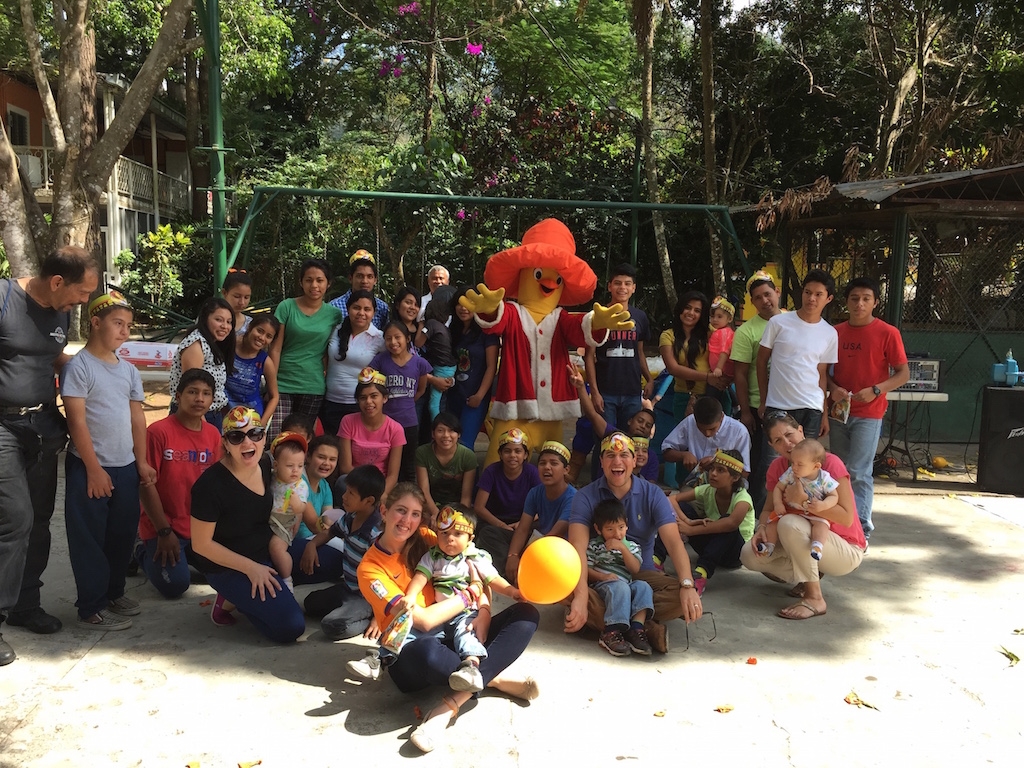
15% of the proceeds of this book will go to charity to support orphaned kids in El Salvador - . So please donate and purchase the printed version of this book; every book sold can help a child for almost 2 months.
Shalom Children's Home
Shalom Children’s Home () is one of the ministries that are dear to our hearts located in El Salvador. During the 12-year civil war that ended in 1990, many children were left orphaned or abandoned by parents who fled El Salvador. The Benners saw the need to help these children and received 13 children in 1982. Little by little, more children came on their own, churches and the government brought children to them for care, and the Shalom Children’s Home was founded.
Shalom now cares for over 80 children in El Salvador, from newborns to 18 years old. They receive shelter, clothing, food, medical care, education, and life skills training in a Christian environment. The home is supported by a child sponsorship program.
We have personally supported Shalom for over 6 years now; it is a place of blessing for many children in El Salvador who either has no families or have been abandoned. This is a good earth to seed and plant.
TestBox 7.x series continues our mission to be the best testing framework for BoxLang and CFML. This release is focused heavily on BoxLang CLI runner enhancements, real-time streaming test execution via SSE, a powerful dry run capability, the brand-new TestBox RUN web IDE, and significant quality-of-life improvements for developers working in both BoxLang and CFML environments.
alt text
Finally, we have certified TestBox 7 for Lucee 7 and dropped support for Adobe 2021 to focus on modern engines and features.
TestBox RUN — The BoxLang Test IDE
TestBox RUN is a brand-new, BoxLang-native test runner and IDE shipped as part of TestBox 7. It is a fully-featured browser-based interface for discovering, running, and streaming your test results in real time — all powered by BoxLang and the new StreamingRunner SSE engine.
What Is It?
TestBox RUN is a self-hosted single-page web app (bx/tests/index.bxm) that you drop into your BoxLang project and open in your browser. It communicates with your existing runner.bxm endpoint and streams spec results as they complete via Server-Sent Events. No build toolchain, no external service — just BoxLang.
Feature Highlights
Real-Time Streaming Test Tree
Results appear in the UI as each spec finishes. The test tree updates live — passing specs turn green, failures turn red, and errors surface immediately with their full message — long before the suite finishes.
Beautiful, Responsive UI
Dark / Light theme toggle with preference persistence in localStorage
Keyboard-first UX with a full set of shortcuts:
Shortcut
Action
Live Search & Filtering
A search bar at the top lets you instantly filter the test tree by bundle, suite, or spec name. Combined with the status filter chips (Passed / Failed / Errored / Skipped), you can zero in on exactly the tests you care about.
Per-Bundle Run & Summary Strip
Each bundle card has its own ▶ Run button so you can re-run a single bundle without re-running the entire suite. A compact results strip beneath each bundle header shows pass/fail/error/skipped counts and total duration at a glance.
Debug Buffer Panel
Any output captured in the TestBox debug buffer during a run is surfaced in a collapsible per-bundle Debug Panel, accessible via a bug icon on the bundle strip. Each entry is rendered with its label and a formatted data view.
Floating Progress Widget
A floating progress widget appears during active runs, showing:
Current bundle running
Specs completed vs. total
Animated progress bar with percentage
Configurable Settings
Click the gear icon (or ⌘/Ctrl + ,) to open the Settings modal, where you can configure:
Runner URL (relative path or absolute HTTP/S)
Directory and bundles pattern
Recurse toggle
Labels and excludes
All settings are saved in localStorage and applied on the next visit. Every setting can also be overridden via URL query parameters for quick CI integration:
Getting Started with TestBox RUN
TestBox RUN is included automatically with every TestBox 7 installation under bx/tests/. Point your web server at bx/tests/index.bxm and open it in your browser.
Every ColdBox application generated with our ColdBox CLI will also include TestBox RUN out of the box.
You can also generate a new test harness with TestBox RUN support using the testbox generate command:
TestBox RUN requires a running web server and a runner.bxm (or runner.bx) endpoint that supports the SSE streaming protocol. If you are building a pure CLI application, use the with --stream instead.
Coming Soon: TestBox RUN Desktop App
Exciting news for BoxLang Desktop Runtime fans!
We are actively working on a native desktop application version of TestBox RUN, built entirely on the BoxLang Desktop Runtime. The desktop app will connect to any web-accessible runner URL — local or remote — and provide the same beautiful real-time streaming UI without a browser. Stay tuned at for announcements, early access, and previews.
Engine Support
Adobe 2021 has been dropped and Lucee 7 is now fully supported and certified.
Engine
Supported
Adobe 2021 is no longer supported as of TestBox 7. Please upgrade to Adobe 2023+ or migrate to .
TestBox RUN
Dry Run & Spec Discovery
Two long-requested features have finally landed: the ability to discover which specs will run without executing them, and a full dry run mode. These are invaluable for large test suites where you need to audit coverage or validate filtering before committing to a full run.
Call the dryRun() method on your TestBox instance to execute the full discovery and filtering pipeline and get a complete report of what would have run — without actually invoking any spec closures.
The BoxLang CLI runner also gains a --dry-run flag that performs the same discovery and filtering process, outputting a structured report of all suites and specs that would have been executed:
The output lists every suite and spec that would be executed, along with their labels and any skip reasons — perfect for CI pipeline auditing and test inventory reporting.
Dry Run JSON Output
Pass --dry-run=json to receive the full discovery payload as raw JSON instead of the formatted text output. This is ideal for programmatic consumption — CI tools, custom reporters, or any external script that needs to process the test inventory:
Dry run mode respects all the same filtering options as a normal run: --labels, --bundles, --directory, --testSuites, --testSpecs, etc.
TestBox 7 introduces a brand-new StreamingRunner that pushes test results to the client as they complete via Server-Sent Events (SSE). This means you no longer have to wait for the entire suite to finish before seeing results — each spec result is streamed in real time. This of course, requires an SSE-capable client, but it opens up powerful new workflows for CI pipelines and large test suites where immediate feedback is crucial.
StreamingRunner
The new StreamingRunner.cfc is available under testbox.system.runners.StreamingRunner and can be used programmatically or wired into any SSE-capable endpoint.
BoxLang CLI --stream Flag
The BoxLang CLI runner gains a --stream flag that activates real-time output of test results as they execute rather than buffering until completion:
Streaming output is especially useful in CI environments where you want live progress rather than waiting for the full suite to complete before seeing any output.
BoxLang Runner Enhancements
The BoxLang CLI runner has received a significant set of new options that give you fine-grained control over output, failure reporting, and performance analysis.
--show-failed-only (TESTBOX-444)
Focus your terminal output exclusively on failures and errors, suppressing all passing and skipped specs:
--stacktrace Control (TESTBOX-445)
Choose how much stack trace detail is shown for failures and exceptions. The default is short to keep output readable:
Output & Performance Options (TESTBOX-446)
A full suite of output-control and performance-analysis flags are now available:
Combining these gives you a clean, focused workflow:
Application Mappings Auto-Load (TESTBOX-440)
The BoxLang runner now automatically attempts to load Application.bx mappings from your project root before executing tests. This means any custom path mappings, datasources, or settings defined in your Application.bx are available to your specs without any extra configuration.
This brings the BoxLang CLI runner experience much closer to running tests in a full web server environment, reducing the friction of maintaining separate CLI-specific configuration.
New ConsoleUtil Toolkit (TESTBOX-443)
A new ConsoleUtil class has been added to testbox.system.util.ConsoleUtil to provide a rich set of helpers for building beautiful CLI tooling on top of TestBox. It includes support for:
ANSI color and style output helpers
Bordered and padded boxes for drawing section headers
The ConsoleReporter now accepts a hideSkipped option (default false) so you can suppress skipped spec output for cleaner terminal readability when you have many pending specs:
From the BoxLang CLI runner, use --show-skipped=false (see above).
Suite Filtering Improvements (TESTBOX-435)
TestBox now performs direct suite name matching when the testSuites filter is active. Previously, nested suites could be skipped even when they exactly matched the filter value. Now, if a suite's name is a direct match for the filter, it will always be included regardless of nesting depth.
This makes granular suite targeting far more reliable from all runners:
TestBox CLI Updates
The testbox-cli CommandBox module has received a major update in version 1.8.0 to align with TestBox 7.
New Commands
testbox info
A new testbox info command displays detailed information about the current TestBox installation, including the installed version, installation path, and key configuration detected in your project:
testbox reinstall
A new testbox reinstall command forces a clean reinstallation of the TestBox CLI package itself — useful when you suspect your current installation is corrupted or outdated:
This command reinstalls the testbox-cli CommandBox module only, not the TestBox library itself. To reinstall the TestBox library, use box install testbox --force.
Streaming Results via testbox run --streaming
The testbox run command now supports a --streaming flag that taps into the new StreamingRunner to deliver real-time test results to your terminal as each spec completes rather than buffering until the entire suite finishes:
Pair it with --verbose to include all passing specs in the live output — by default only failures and skipped specs are persisted:
Streaming output is ideal for CI environments where you want immediate feedback on test progress rather than waiting for the full suite to complete before seeing any results. It works best with BoxLang, but can be used with CFML engines that support SSE as well.
TestBox RUN Integration
The CLI now ships with support for the new TestBox RUN runner for BoxLang, enabling native SSE-based streaming runs directly from the CommandBox CLI without needing a separate web server.
Template Updates
Both CFML and BoxLang generation templates have been refreshed to reflect the latest TestBox 7 conventions and best practices.
Bug Fixes
getTestBoxDescriptor() argument was previously ignored and is now correctly applied.
The testbox package is now used as the single source of truth for version and descriptor resolution rather than duplicating logic across the CLI module, preventing potential drift.
Improved Help Messages
All commands have received updated help text with clearer descriptions, usage examples, and argument documentation.
Release Notes
Bugs
#
Title
Improvements
#
Title
New Features
#
Title
Tasks
#
Title
Reload / rediscover tests
⌘/Ctrl + ,
Open Settings
⌘/Ctrl + B
Toggle expand/collapse all bundles
⌘/Ctrl + D
Toggle dark/light mode
⌘/Ctrl + H
Open the About / Help dialog
✅ NEW
Adobe 2023
✅ DEPRECATED
Adobe 2025
✅
Adobe 2021
❌ Dropped
Table rendering for structured output
Symbols and icons normalized across platforms
Fix TestBox scanning from the root if directory was not passed but bundles were using the BoxLang Runner
New StreamingRunner to provide execution streaming of tests via SSE
New --stream option for the BoxLang runner to stream results and tests in real-time
New ConsoleUtil for building beautiful CLI tooling
New --show-failed-only option for the BoxLang Runner
New --stacktrace=short|full option for the BoxLang runner
New BoxLang runner options: --show-passed, --show-skipped, --max-failures, --slow-threshold-ms, --top-slowest
# Show or hide passing specs (default: true)
./testbox/run --show-passed=false

# Show or hide skipped specs (default: true)
./testbox/run --show-skipped=false

# Abort the run after N failures
./testbox/run --max-failures=10

# Flag any spec that takes longer than N milliseconds as slow
./testbox/run --slow-threshold-ms=500

# Print a summary of the N slowest specs at the end of the run
./testbox/run --top-slowest=5